
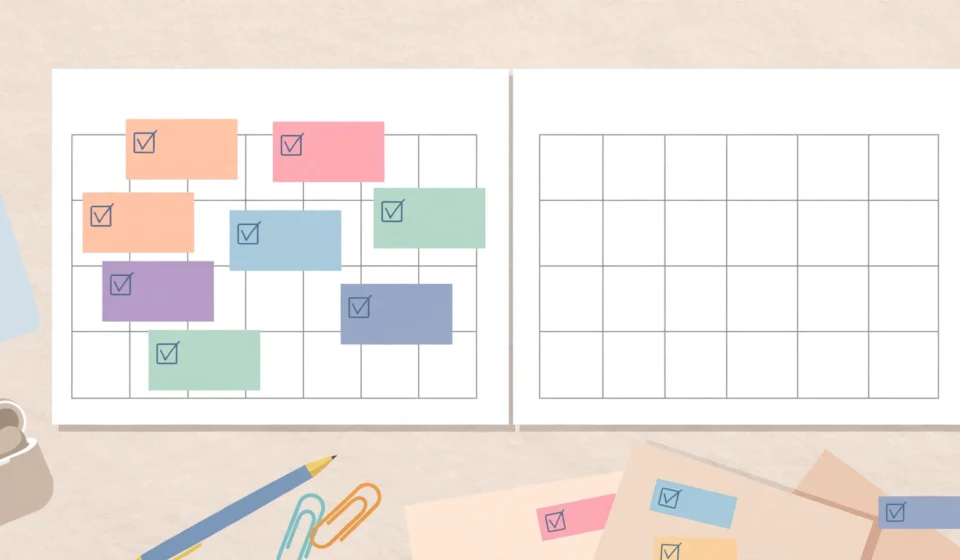

Every blogger has lived through the same Sunday evening panic: nothing is scheduled, no draft is ready, and the week ahead is already full. A content calendar fixes that problem permanently. It is simply a plan for what you will publish and when — but the bloggers who use one consistently outperform those who write on impulse, because planning removes the daily decision of “what should I write next?”
This guide shows you how to create a blog content calendar that fits real life: simple enough to maintain, detailed enough to be useful, and flexible enough to survive a busy week.
What a Content Calendar Actually Is
A content calendar is a schedule of your upcoming blog posts. At minimum, it lists each planned article, its topic, and its target publish date. More developed versions also track the post’s status (idea, drafting, editing, scheduled), the keyword or goal behind it, and any promotion tasks attached to it.
The key insight is that a calendar separates two very different jobs: deciding what to write, and writing it. When you batch your decisions — choosing a month of topics in one sitting — you eliminate the friction that causes most bloggers to stall. Writing sessions become calmer and more productive because the topic is already waiting for you.
Step 1: Decide Your Publishing Rhythm
Before you plan any topics, pick a cadence you can honestly sustain. For most solo bloggers, one post per week is ambitious enough; two per week is a stretch goal for those with more time. The wrong rhythm is the number-one reason calendars get abandoned, so be brutally realistic about your schedule.
A useful test: look at the last three months and count how many posts you actually published. Set your calendar’s rhythm at that level, or one step above it. It is far better to plan one post a week and hit it every time than to plan three and miss two.
Also decide your publish days. Readers and routines both benefit from consistency, so pick days that align with your week — for example, Tuesdays and Fridays — and stick to them while you build the habit.
Step 2: Brainstorm Topics in Batches
With your rhythm set, brainstorm a month or more of topics in a single session. Batching works because your brain stays in “idea mode” instead of switching between planning and writing. Aim for roughly twice as many ideas as you need; you will discard the weakest half.
Good sources for topic ideas include:
- Questions readers have asked in comments, emails, or messages
- Topics your competitors cover that you could explain better
- Seasonal or timely subjects relevant to your niche
- Follow-ups and sequels to your most popular existing posts
- Evergreen fundamentals that new readers always need
Write each idea as a working title, not a vague theme. “7 ways to style a small living room” is actionable; “home decor” is not. If you can write the working title in one clear sentence, the article will be much easier to draft later.

Step 3: Organize Topics Into Categories
Once you have a pile of ideas, sort them into the main categories of your blog. This step reveals your blind spots: if fourteen ideas are recipes and zero are kitchen tips, your coverage is lopsided. A balanced calendar rotates through your categories so regular readers get variety and your archive grows evenly.
At this stage, also assign each post a purpose. Some posts attract search traffic, some deepen trust with existing readers, and some are designed to be shared. You do not need a formal system — a simple tag like “SEO,” “audience,” or “shareable” next to each idea is enough to keep your mix healthy.
Step 4: Schedule Posts Across the Month
Now place your topics on actual dates. Start with your anchor content — the big, important posts — and spread them through the month so your strongest work never clusters in one week. Fill the remaining slots with lighter topics.
Build in breathing room. If your rhythm is one post per week, plan for roughly three posts a month rather than four; the extra slot absorbs sick days, holidays, and weeks when life gets in the way. A calendar with no slack is a calendar you will abandon the first time something goes wrong.
When scheduling, think in seasons. Publishing a holiday gift guide in early December is too late; planning it in October is right. Note these seasonal posts on the calendar months in advance so the timing works in your favor.
Step 5: Track Status, Not Just Dates
A calendar that only lists titles and dates cannot tell you what to do today. Add a simple status column that each post moves through:
- Idea — the topic is captured but nothing is started.
- Researching — you are gathering notes and sources.
- Drafting — the article is being written.
- Editing — the draft is complete and under review.
- Scheduled — the post is uploaded and queued for its publish date.
- Published — the post is live.
Glancing at the calendar each morning tells you exactly which posts need attention. If three posts are stuck in “drafting,” you know this week’s writing sessions should be finishing drafts rather than brainstorming new ideas.
Step 6: Review and Adjust Monthly
No calendar survives contact with reality unchanged, so schedule a short monthly review — twenty minutes is enough. Look at what actually got published, what slipped, and why. Then plan the next month, folding in any lessons: maybe certain topics take longer to write than you estimated, or maybe one category consistently outperforms the others and deserves more slots.
This review is also the right moment to promote your new posts. Many bloggers link their content calendar to their promotion routine, so every published article automatically gets pinned for extra traffic. If you are curious about that, read our guide to getting blog traffic from Pinterest for a channel that pairs well with a consistent schedule.
Tools That Work for a Content Calendar
You do not need expensive software. Any of these will do the job:
- A simple spreadsheet with columns for date, title, status, category, and notes. It is free, flexible, and easy to scan.
- A paper planner or wall calendar if you think better on paper. Write working titles on publish dates and keep a notes page for ideas.
- Trello or a similar kanban board with one card per post, moved across columns matching the statuses above.
- Google Calendar with one event per publish date, using the event description for the working title and notes.
Pick the tool you will actually open. The best content calendar is the one you check every morning, not the one with the most features.
Common Content Calendar Mistakes to Avoid
Watch out for these traps that derail new planners:
- Planning too far ahead. Beyond two to three months, calendars become fiction. Keep the near term detailed and the long term loose.
- Scheduling only writing, not editing. Editing and uploading take real time; give each post a buffer day between “draft done” and “publish.”
- Ignoring your analytics. If your data shows readers love a certain topic, your calendar should reflect that — not your hunches.
- Making it complicated. Categories, colors, tags, and metrics are all optional. Start minimal and add complexity only when you miss it.
- Treating the calendar as a contract. It is a planning tool, not a legal document. Swapping two posts is fine; abandoning the calendar is not.
Frequently Asked Questions
How far in advance should I plan my blog posts?
Plan one to two months ahead in detail, with a loose list of ideas for the months beyond that. This gives you enough runway to write ahead while staying flexible enough to react to timely topics.
Should I plan social media promotion in my content calendar?
It helps to note promotion tasks next to each post, but keep the calendar focused on publishing first. Once the publishing habit is stable, add a small promotion checklist per post — the kind of marketing guides on the HubSpot blog offer useful templates for that next step.
Can a content calendar work for a brand-new blog?
Absolutely — it works best for new blogs, because it forces you to think about topic balance and publishing consistency before bad habits form. Start with a modest weekly rhythm and build from there.
How do I handle seasonal content in a calendar?
Note seasonal posts at least two months before their ideal publish date, and schedule the writing a few weeks earlier than feels necessary. Seasonal posts that publish “just in time” usually arrive too late to rank or be shared.
Final Thoughts
A content calendar is not about becoming a productivity machine; it is about removing the small daily frictions that quietly kill blogs. Decide your rhythm, brainstorm in batches, schedule with slack, track status, and review monthly. That is the whole system. Give it one month and the Sunday evening panic will be gone — replaced by a calm list of what is next, already decided.



[…] once the clicks start coming, organizing your publishing plan becomes easier too — our guide on how to create a blog content calendar shows a simple system for planning posts […]