

Most bloggers spend months writing posts that barely anyone reads, waiting for search engines to notice them. Pinterest offers a different path. It looks like a social network, but it behaves like a search engine — people type queries into the search bar, save the results they like, and click through to the original websites. For bloggers, that means a steady stream of visitors who are actively looking for what you already wrote.
This guide walks you through everything you need to know: setting up your profile the right way, designing pins people actually click, organizing your boards, and building a sustainable routine that keeps traffic coming in week after week.
Why Pinterest Works So Well for Bloggers
Unlike social platforms where posts vanish from feeds within hours, Pinterest content has an unusually long lifespan. A pin you create today can still send visitors to your blog months or even years from now. Every pin is a small billboard linked directly to your article, and each time someone saves it to one of their boards, it gets shown to their followers — extending its reach without any extra effort from you.
Pinterest is also fundamentally a discovery platform. People arrive with intent: planning a wedding, decorating a small apartment, learning to cook weeknight dinners, or figuring out how to start a side business. Your blog posts answer exactly those questions, which makes the match between a searcher and your content unusually strong. Visitors from Pinterest tend to spend real time on a page rather than bouncing immediately, because they clicked through with a specific purpose in mind.
Another advantage is the barrier to entry. You do not need thousands of followers to get traffic from Pinterest. Because the platform’s home feed and search results surface content based on relevance rather than follower counts, a brand-new account with well-optimized pins can start generating clicks quickly.
Set Up Your Pinterest Profile for Blogging
Before you pin anything, set your profile up like a professional publisher rather than a casual user. Start with a free business account, which unlocks analytics and extra features that are genuinely useful for bloggers. Use your blog’s name as your profile name and upload your blog’s logo or a clean headshot as your profile picture.
Your bio is short, so make every character count. State clearly who your blog is for and what they will find: something like “Easy weeknight recipes for busy parents” or “Practical blogging tips for new creators.” Include a keyword or two that your target readers would search for.
Next, claim your website and enable rich pins. Claiming your domain tells Pinterest you own the content linked from your pins, and rich pins automatically pull your article titles and descriptions onto every pin you create. Both steps take only a few minutes in your account settings, and they add an extra layer of credibility to everything you publish on the platform.
Create Pins That People Actually Click
The pin is the product on Pinterest. If your pin does not earn the click, nothing else matters. Strong pins share a few common traits worth copying.
Use a vertical format with roughly a 2:3 ratio. Tall pins take up more space in the feed and consistently outperform square or horizontal images. Make sure any text on the pin is large and readable on a phone screen, since most Pinterest users browse on mobile.
Your pin design should make a promise that the linked article keeps. Use a short, bold headline that states the benefit: the kind of headline that makes a scroller stop and think “I need that.” Pair it with a bright, clean image that stands out against the neutral backgrounds of the Pinterest feed. Avoid cluttered designs with many small elements; simplicity wins.
Always add the destination link before publishing. It sounds obvious, but pins uploaded without a link — or worse, linked to the wrong page — are a common beginner mistake. Every pin should point to the specific article it describes, not your homepage.
Finally, create more than one pin per blog post. Different headlines and designs for the same article let you test what your audience responds to, and each new pin is another chance for the article to be discovered.
Organize Your Boards Like a Librarian
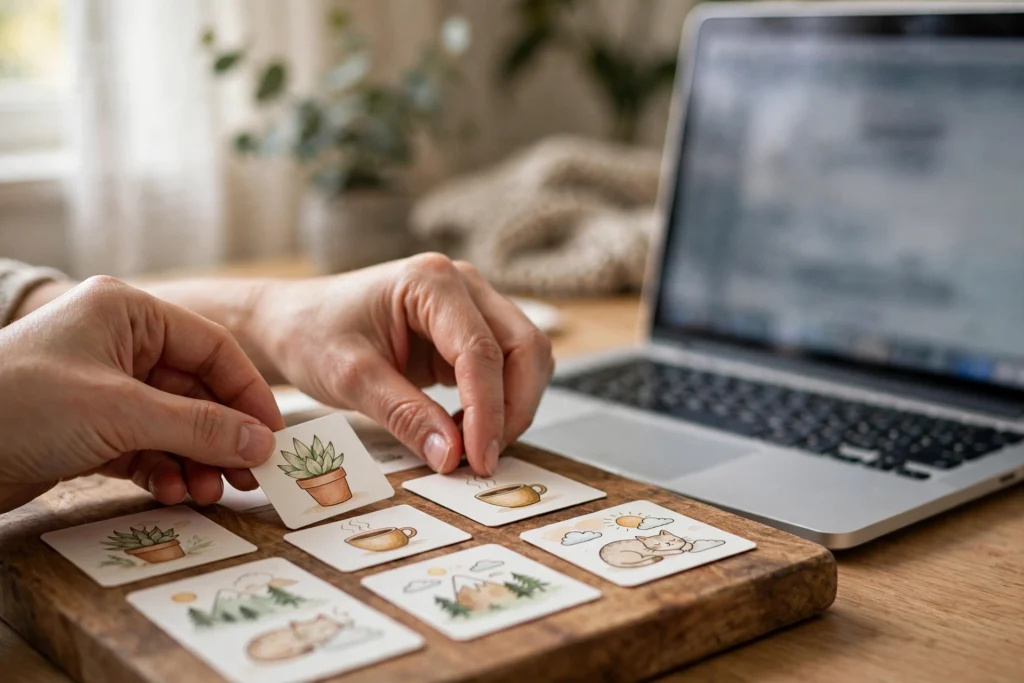
Boards are how people browse your profile and how Pinterest understands your content. Create boards with clear, keyword-rich names that match the topics of your blog. If you run a food blog, boards like “Weeknight Dinners” or “Healthy Breakfast Ideas” make far more sense than vague titles like “My Favorites.”
Write a short description for each board that includes the phrases people would search for. Pinterest reads these descriptions when deciding which boards to show in search results, so a little keyword thought goes a long way.
Pin your own content to the most relevant board first, then consider repinning it to a couple of other related boards over the following days. Many bloggers also maintain a dedicated board for their blog’s best content — a curated showcase that new profile visitors can browse in one place.
Build a Simple, Sustainable Pinning Routine
You do not need to pin for hours a day. Consistency matters far more than volume. A practical routine for a beginner looks something like this:
- Publish one to two new pins per day when you are getting started. Mix fresh pins for new articles with new designs for older posts.
- Schedule a week ahead using Pinterest’s built-in scheduler so your account stays active even on days you do nothing.
- Repin older content regularly. Your best-performing posts from last year can often be revived with a fresh pin design.
- Spend most of your time on your own content. Pinning other people’s content is fine, but your own pins are the ones that send traffic to your blog.
As your library of pins grows, check your analytics once a month. Look for which pins generate the most clicks and create more designs in that style. Look for which articles get the most saves and consider writing follow-up posts on those topics.
Use Keywords the Way Pinterest Expects
Remember that Pinterest is a visual search engine, so search behavior matters everywhere. Include relevant keywords naturally in your pin titles, pin descriptions, board names, board descriptions, and profile bio. Think about what your reader would actually type: “easy dinner ideas” rather than “culinary inspirations,” for example.
Pin titles and descriptions should read like helpful human language, not a keyword list. A description like “A quick 20-minute pasta dinner recipe the whole family will love — perfect for busy weeknights” is both searchable and clickable. Stuffing it with twenty keywords will not fool anyone and makes the pin less appealing.
Pinterest’s guided search feature is a handy research tool. Start typing a phrase in the search bar and watch the suggestions that appear — those are real searches from real users, and they make excellent board names and pin titles.
Frequently Asked Questions
How long does it take to get blog traffic from Pinterest?
Most bloggers see their first trickle of clicks within a few weeks of consistent pinning, with meaningful traffic building over two to four months. Because pins have a long lifespan, your results tend to compound: the pins you made in January keep working while you add new ones in February.
Do I need followers on Pinterest to get traffic?
No. Pinterest surfaces content based on search relevance and engagement, not follower counts. A new account with well-optimized pins can generate clicks from day one, which is one of the platform’s biggest advantages over follower-based social networks.
How many pins should I create per blog post?
Start with three to five different designs per article. Vary the headline, the image, and the layout so each pin feels fresh. More designs give you more chances to be discovered and let you learn which styles your audience prefers.
Can any blog niche get traffic from Pinterest?
Most lifestyle, food, home, parenting, fashion, travel, and personal finance topics do very well because they match what people actively search for on the platform. Even niches that seem less visual can work if you present topics as how-to guides and checklists. And once the clicks start coming, organizing your publishing plan becomes easier too — our guide on how to create a blog content calendar shows a simple system for planning posts consistently.
Is Pinterest free for bloggers?
Yes. A business account is free, pinning is free, and the built-in scheduler is free. Pinterest also offers paid advertising, but organic pinning is enough to build substantial blog traffic without spending anything.
Final Thoughts
Pinterest rewards bloggers who treat it as a search engine rather than a social network: clear keywords, clickable pin designs, and consistent publishing. Set up your profile properly, create several pins for every post you write, and give the platform a few months to compound your efforts. You will likely find that your older articles keep attracting new readers long after you have moved on to writing the next one — which is exactly the kind of evergreen traffic every blog needs. For inspiration on the platform itself, browse Pinterest and pay attention to which pins make you stop and click; those are the patterns worth copying.